
OnlyFans free pages look low-risk because the subscription price is $0. That is the trap. A free page still asks for a card on file, and the moment you follow, you enter a stream where pay-per-view messages, paid chat, and tips all carry real charges. This guide from BestOnlyFans builds one repeatable browsing safety routine around that exact flow: what to check before you follow, what to watch while you browse, and what to clean up afterward.
The title promises a routine, not a warning list. So the article is procedural. Each section gives you a step you can actually run, in order, the next time a free page shows up in your feed or on a ranking site. BestOnlyFans refreshes its rankings every month.

Why Free Pages Need Their Own Routine
A free page sets the subscription price to $0 and earns through pay-per-view messages and tips instead. The card verification step still applies. That single detail is why free pages deserve a separate routine rather than a copy of your paid-subscription habits. On a paid page, the cost is visible up front: somewhere between $4.99 and $49.99, with most pages clustering in the $4.99-$15 band. On a free page, the entry cost is zero and every cost after that is opt-in.
Your exposure shifts from one predictable renewal to a series of small decisions. Those small decisions add up. A PPV message can unlock for up to $50. Paid chat commonly runs $3-$5 per message. Tips can reach $100.
None of that happens without a tap, but taps are easy when nothing feels like a purchase. There is also no built-in discovery feed on the platform, which is why ranking and directory sites exist in the first place. That means your entry point to a free page is often a third-party list, not an in-app recommendation. A routine has to account for that.
Before You Follow: Verification Steps
Verification is the part most people skip because the page is free. Run these steps in order and the rest of the routine gets easier.
- Confirm the page is legitimate by checking that the profile, links, and posting history match what the ranking site described.
- Check the pricing model: is the subscription actually $0, or is a promotional first month priced below $4.99 before a higher base price kicks in?
- Verify the card hold. A $0.10 verification hold is standard and is refunded within days.
- Follow the page and immediately confirm no unexpected charge appears on your statement.
Step two deserves emphasis. Promotional first months can sit below $4.99, for example a $3 first month, while base prices may not go under $4.99. If you are not sure which one you are looking at, treat it as a paid page and check the renewal terms before you continue.
| Step | What to check | Result |
|---|---|---|
| Verification hold | Whether a $0.10 hold appeared and when it is refunded | Confirms the card is valid without real cost |
| Page legitimacy | Profile details, posting history, links on the ranking site | Confirms the page is the one you meant to follow |
| Pricing model | $0 base versus promotional first month versus paid tier | Confirms whether a renewal charge can appear |

Payment Method Choices for Free Pages
The payment method you attach to a free page is the single biggest control you have. Pick it deliberately instead of reusing whatever card is already saved.
- Prepaid cards: load a fixed amount so the ceiling is set before you browse.
- Virtual cards: issued per merchant, easy to freeze or replace if something looks wrong.
- A dedicated card: used only for subscriptions, so unrelated spending stays separate.
- Wallet credit: keeps the card number out of the equation where the platform allows it.
- A standard card with a low limit: workable, but only if you actually check the limit is enforced.
A prepaid or virtual card does not change the platform economics. The platform fee is 20% on everything and the creator keeps 80%, whether the charge came from a subscription, a PPV unlock, or a tip. What changes is how much a mistake can cost you.
Tip: Set the prepaid balance to roughly one month of expected PPV and chat spending, not the card’s maximum. A capped card turns a bad tap into a declined transaction instead of a surprise bill.

During Browsing: PPV and Chat Awareness
Once you are inside a free page, the routine shifts from setup to awareness. Every cost point in this section is opt-in, which means the decision happens in a second and the consequence shows up later.
- PPV unlocks: single messages that unlock for up to $50.
- Paid chat: commonly $3-$5 per message, which compounds quickly in a long thread.
- Tips: can reach $100 and are not tied to any content unlock.
- Bundles: grouped unlocks that can combine several PPV items into one larger charge.
The habit that matters here is pausing before each unlock. Read the price, decide whether it fits the budget you set for this page, and only then confirm. Nothing about a free subscription obliges you to buy anything.
It also helps to know what a normal session costs you. If a typical visit involves two PPV unlocks and a short chat thread, you already know the rough number before you open the page. That number is what your weekly review will check against.
After Following: Account Hygiene
Post-follow hygiene is where free pages quietly turn into recurring costs. Run these steps after the first week and again whenever you add several new pages at once.
- Review notification settings so PPV and chat prompts are not arriving constantly.
- Audit unlocks and tips against your statement to confirm each charge is one you remember.
- Rotate the payment method if the current card has been used across many pages.
- Unfollow inactive or low-value pages so the account stays readable.
- Reassess the budget for the pages you kept.
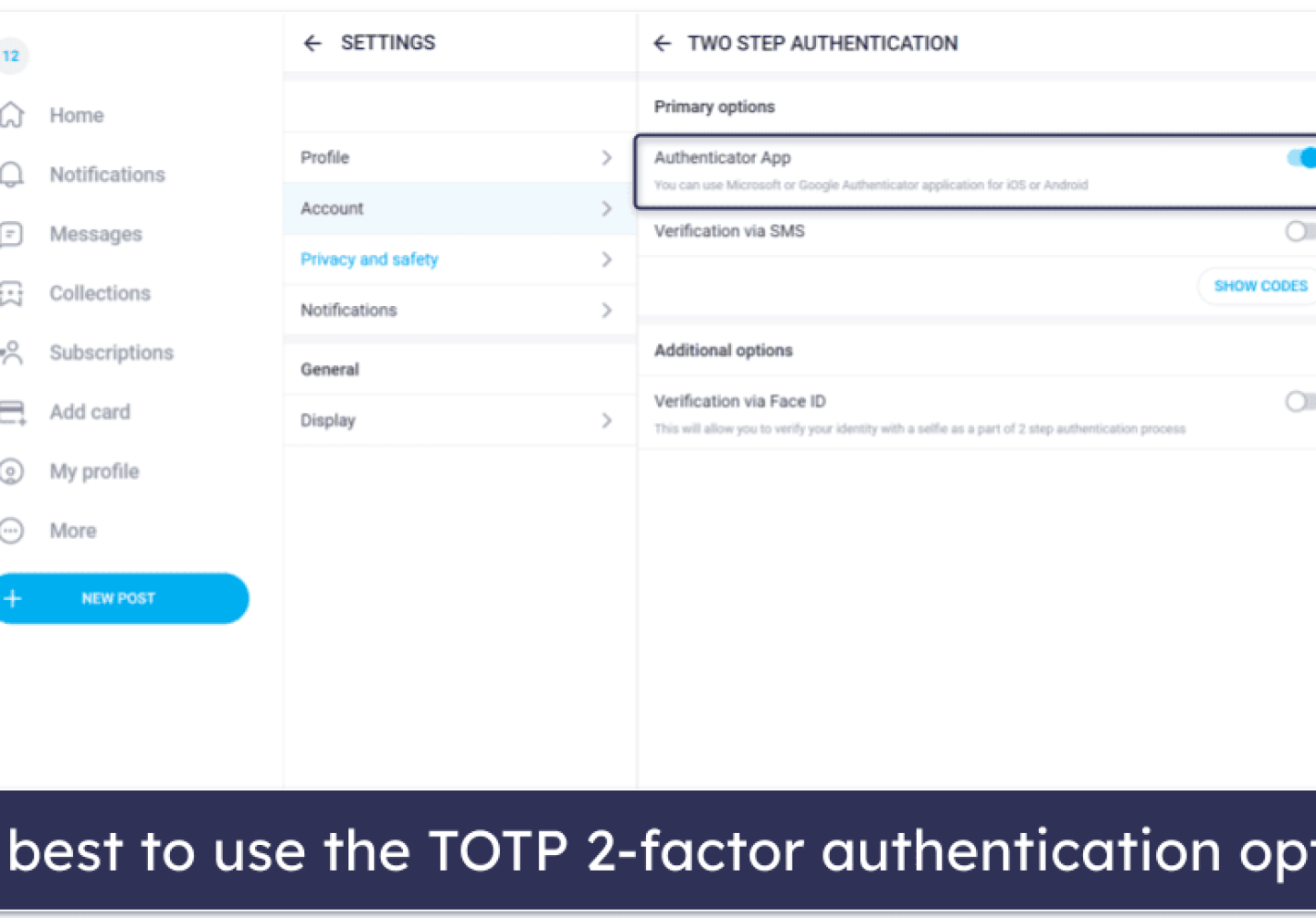
Understanding two-factor authentication belongs in this step too. Turn it on before you accumulate a long follow list, because the account becomes more valuable to an attacker as it grows.

Spotting Page Changes That Affect Safety
Free pages change. A creator can add a paid tier, raise PPV density, or restrict messaging. Each change alters your risk in a specific way, and the routine should absorb the change rather than restart.
| Change | Safety impact | Action |
|---|---|---|
| Free page converts to paid | A renewal charge can now appear; auto-renew stops if the creator raises the price, and existing access lasts until the paid period ends | Decide whether the paid price fits your budget before the current period expires |
| PPV density increases | More opt-in cost points per session | Lower your prepaid balance or pause unlocks for a week |
| Messaging restriction changes | Paid chat at $3-$5 per message may become the only contact route | Set a per-thread spending ceiling before you reply |
One platform-level point is worth repeating in this context. When a creator raises the price, auto-renew stops and your existing access lasts until the paid period ends. That gives you a natural decision window instead of an automatic charge.
If you are comparing candidates while a page is mid-change, a curated list such as free onlyfans denmark can show which pages are still genuinely free at the base tier rather than free only for a promotional month.

A Repeatable Weekly Review
A weekly review takes a few minutes and catches nearly every problem before it repeats. Put it on the same day each week so it becomes automatic.
- PPV spend: total unlocks for the week against the budget you set.
- Chat spend: message charges at $3-$5 each, which are easy to lose track of.
- Tip spend: anything sent without an unlock attached.
- Unfollowed pages: pages removed in the last week and why.
- Upcoming renewals: any paid page or converted free page about to bill.
The methodology behind this routine is the same one BestOnlyFans uses when ranking pages: define the cost model first, then check behaviour against it. Applied to your own account, that means the statement is the source of truth, not your memory of the session.
If a charge does not match anything you remember approving, treat it as a signal rather than an annoyance. Dispute it through the card issuer, then change the payment method on the account.
When to Unfollow or Switch Pages
Unfollowing is a safety action, not just a spending one. Free pages with heavy PPV density, unclear pricing, or persistent chat pressure belong in the unfollow category even if the subscription itself costs nothing.
Switch pages rather than argue with a page. There is no shortage of alternatives, and no built-in discovery feed means ranking sites and directories are the normal way to find them. Rebuilding a short, clean follow list is faster than managing a long, noisy one.

When you cancel or unfollow, keep the confirmation. If a charge appears afterward, that record shortens the dispute considerably. Then re-run the verification steps from this guide on whichever page you follow next.
FAQ
Is the $0.10 verification hold refunded automatically?
Yes. The $0.10 card verification hold is refunded within days without any action from you. It is a validation charge, not a fee, and it does not recur on every visit.
Can I follow a free page without a card on file?
No. Card verification applies to free pages as well as paid ones, because the account needs a valid payment method for PPV unlocks, paid chat, and tips. That is exactly why a prepaid or virtual card is worth setting up before you follow.
Do PPV messages appear as separate charges?
Yes. Each PPV unlock up to $50 appears as its own charge, and paid chat at $3-$5 per message is billed per message. They will not be folded into a single subscription line, which is why the weekly statement check matters.
Should I use a prepaid card for free pages only?
That is the cleanest setup. A prepaid or virtual card used only for free-page subscriptions keeps the spending ceiling fixed and makes any unfamiliar charge obvious the moment it appears on the statement.